Sách ôn thi · Ấn bản 2026
CompTIA A+ Core 1 (220-1101) — Study Guide for the retired V14 exam
Covers the 220-1101 objectives. CompTIA retired 220-1101/1102 in September 2025; the exams offered now are 220-1201 and 220-1202.
- Độ dài
- 75 trang
- Câu hỏi luyện tập trong sách
- 100
- Thi thử trực tuyến PrepPass
- 90 câu · 90 phút
- Thông tin kỳ thi đối chiếu
- tháng 9 năm 2026
- Tệp cập nhật lần cuối
- tháng 10 năm 2026
- Giao hàng
- PDF + EPUB · tiếng Anh · tải ngay
Về cuốn sách này
Thông tin kỳ thi, ai nên dùng và thay đổi
Về chính kỳ thi này
| Cơ quan quản lý | CompTIA Nguồn: CompTIA — A+ Core 1 V15 (220-1201) certification page, Exam details |
|---|---|
| Số câu hỏi | Tối đa 90 câu hỏi Nguồn: CompTIA — A+ Core 1 V15 (220-1201) certification page, Exam details |
| Thời gian làm bài | 90 phút Nguồn: CompTIA — A+ Core 1 V15 (220-1201) certification page, Exam details |
| Điểm đậu | Điểm quy đổi 675 trên thang 100–900 Nguồn: CompTIA — A+ Core 1 V15 (220-1201) certification page, Exam details |
| Lệ phí | Chưa kiểm tra |
| Ngôn ngữ thi | Tiếng Anh · Tiếng Đức · Tiếng Nhật Nguồn: CompTIA — A+ Core 1 V15 (220-1201) certification page, Exam details |
Xem bên trong cuốn sách
Ba trang thật, kết xuất thẳng từ tệp PDF bạn sẽ tải — lần lượt là một trang tra cứu, một trang giảng giải, và một câu hỏi có lời giải. Không trang nào được vẽ lại cho đẹp.
- Cách giảng dạyAnswer Key with Explanations · Trang 69 của PDF
Trang giảng giải: kiến thức được trình bày bằng văn xuôi, theo trình tự kỳ thi kiểm tra.
- Cách giảng dạyAnswer Key with Explanations · Trang 70 của PDF
Trang giảng giải: kiến thức được trình bày bằng văn xuôi, theo trình tự kỳ thi kiểm tra.
- Cách giảng dạyAnswer Key with Explanations · Trang 74 của PDF
Trang giảng giải: kiến thức được trình bày bằng văn xuôi, theo trình tự kỳ thi kiểm tra.
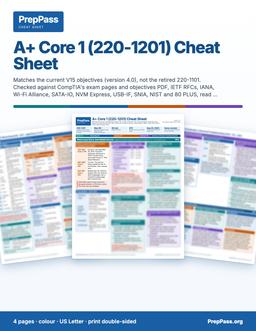
Thi trong vòng hai tuần?
Sách này là phần giảng dạy, đọc trong nhiều tuần. Nếu bạn thi trong vòng hai tuần, bảng tra cứu màu in được là sản phẩm còn lại: các con số then chốt, xếp theo từng phần.
4 trang · US Letter · PDF in được · giữ vĩnh viễn
Có gì — và không có gì
Bao gồm
- Written against 220-1101 (retired Sept 2025) — not 220-1201
- All 5 domains, weighted like 220-1101 (Troubleshooting 30%)
Không bao gồm
- Không gửi bản in — đây là tệp bạn tải về và có thể tự in
- Sách không kèm khoá video, giảng viên hay kèm riêng — video miễn phí trên trang là phần khác
Toàn bộ phần bao gồm và không bao gồm
Bao gồm
- Ports, RFC 1918 ranges, CIDR/subnet, and Wi-Fi standards reference
- RAID levels, DDR generations, connectors, and storage specs
- Worked troubleshooting walk-throughs (APIPA, no-POST, cloud models)
- 100 original practice questions with answer explanations
- PDF (print & tab it) + EPUB (phone / e-reader)
Không bao gồm
- Không bao gồm lệ phí đăng ký thi hay phí trung tâm khảo thí — bạn vẫn nộp cho cơ quan chính thức
Mục lục
Xem 2 phần và trang bắt đầu của từng phần
- Part II — Full Practice Exam (100 Questions)tr. 44
- Answer Key with Explanationstr. 65
Lấy từ chính tệp PDF bạn tải về, kèm trang bắt đầu của từng phần — không phải gõ tay ở đây.
Đọc miễn phí trọn một chương
Trọn vẹn một chương, đúng như trong eBook. Cuộn cửa sổ để đọc ngay tại đây; không cần tải, không cần email.
Đọc chương 4 ngay tại đây, không rời trang
Chúng tôi không đưa phần mở đầu dễ dãi — chương miễn phí mở thẳng vào một trong những phần đậm đặc nhất của cuốn sách, để bạn đánh giá cách dạy ở đúng chỗ kỳ thi trở nên khó.
Introduction
Virtualization and cloud computing let organizations run workloads flexibly instead of buying a physical server for every job. This is the smallest domain on Core 1, but it is conceptual rather than fact-dense, so it rewards clear understanding over memorization. This chapter explains the hypervisor and the two types of it, the difference between containers and virtual machines, the three cloud service models, and the deployment models and shared characteristics that shape planning.
The through-line is abstraction and sharing: virtualization abstracts one physical machine into many logical ones, and cloud computing sells that capacity as a metered, on-demand service. Each concept is a step up the ladder of "how much does someone else manage for you."
Virtualization basics
Virtualization abstracts physical hardware so multiple operating systems can run on one machine. The hypervisor is the software layer that makes this possible.
- The hypervisor manages VMs. It abstracts the hardware and allocates CPU, memory, and storage to each virtual machine. Firmware, drivers, and bootloaders are low-level components but they do not manage VMs — the hypervisor does.
- Type 1 runs on bare metal. A Type 1 (bare-metal) hypervisor installs directly on the hardware, with no host OS beneath it, for maximum performance — the enterprise data-center pattern.
- Type 2 runs on a host OS. A Type 2 (hosted) hypervisor runs as an application on top of an existing operating system — the way you run a test VM on a laptop.
- Isolation aids testing. VMs isolate environments, so a lab or a piece of development work does not affect the host — a safe sandbox.
Type 1 vs. Type 2 — the trade-off. A bare-metal (Type 1) hypervisor gives better performance and stronger isolation because nothing sits between it and the hardware; it is what data centers use. A hosted (Type 2) hypervisor is more convenient — you install it like any app on a working desktop — at the cost of the overhead of the underlying OS. Convenience versus performance is the whole distinction.
Containers vs. virtual machines
Containers are a lighter alternative to full VMs: they isolate applications while sharing the host's kernel instead of each carrying a whole operating system.
- Containers share the host kernel. They package an app with its dependencies so it runs consistently across environments, without bundling a full OS.
- VMs include a full guest OS. Each VM carries its own operating system, which makes it heavier than a container.
- Containers start fast and scale well. Their light footprint suits microservices and rapid deployment.
- Choose based on isolation needs. Full VMs give stronger isolation; containers give density and speed. That is the design decision.
Cloud service models
Cloud providers deliver computing at different levels of abstraction, from raw infrastructure up to finished applications. The higher you go, the more the provider manages for you.
- IaaS — Infrastructure as a Service. You get virtual compute, storage, and networking and manage them yourself. Most control, most responsibility.
- PaaS — Platform as a Service. You deploy applications onto a managed platform without managing the underlying OS and servers. The provider handles the plumbing; you handle the app.
- SaaS — Software as a Service. You use a fully managed application — webmail, an online office suite — through a browser. Least to manage, least control.
- Responsibility shifts by model. Moving from IaaS → PaaS → SaaS hands more of the management burden to the provider and leaves you less to run.
Cloud deployment and characteristics
Beyond what is delivered, clouds differ in who owns them, and they share defining traits that guide planning.
- Public clouds are multi-tenant. A provider hosts shared infrastructure used by many customers.
- Private clouds are dedicated. Infrastructure serves a single organization for control and compliance.
- Hybrid combines both. A hybrid cloud links on-premises and public resources so workloads can move between them. (A community cloud, by contrast, is shared among several related organizations — not the same as hybrid.)
- Elasticity and measured service. Elasticity means resources scale up or down automatically with demand; measured service means usage is metered so customers pay for what they consume (pay-as-you-go).
Resource planning. Before creating multiple VMs on a host — or sizing a cloud deployment — the resource that matters is the host's available CPU cores, RAM, and storage, and for an individual VM the administrator tunes its allocated vCPUs and RAM in the hypervisor. Over-committing beyond what the host can supply is what turns a tidy virtualization plan into a slow one.
Key facts & specs
Every item in this box is drawn from this book's source material for the virtualization and cloud domain.
| Concept | Fact to remember |
|---|---|
| Hypervisor | Software layer that creates and manages VMs; allocates CPU/RAM/storage |
| Type 1 | Bare-metal — installs directly on hardware; enterprise performance |
| Type 2 | Hosted — runs as an app on an existing OS |
| Container | Shares the host kernel; lightweight, fast, portable |
| Virtual machine | Carries a full guest OS — heavier; stronger isolation |
| IaaS | Infrastructure — you manage compute/storage/networking |
| PaaS | Platform — deploy apps without managing OS/servers |
| SaaS | Software — fully managed apps in a browser (e.g., webmail) |
| Public cloud | Multi-tenant, shared by many customers |
| Private cloud | Dedicated to one organization |
| Hybrid cloud | Links on-premises + public so workloads can move |
| Elasticity | Resources scale automatically with demand |
| Measured service | Usage metered — pay for what you use |
| VM sizing | Adjust vCPUs and RAM; verify host CPU/RAM/storage first |
Worked example — matching the model to the need
"We want fully managed email our staff just log into in a browser." That is a finished application — SaaS. "Our developers want to push code to a managed platform without patching servers." Platform, no OS management — PaaS. "We need virtual machines and virtual networks we control and configure ourselves." Raw infrastructure — IaaS. "Keep sensitive workloads in our own data center but burst to a public provider at peak." On-prem plus public, workloads moving between them — a hybrid deployment. The tell is always how much you want to manage yourself (IaaS most, SaaS least) and who owns the infrastructure (private, public, or hybrid).
Common traps
- Swapping Type 1 and Type 2. Type 1 = bare-metal (on hardware, enterprise); Type 2 = hosted (on top of an OS).
- Thinking a container includes a full OS. It does not — it shares the host kernel. The VM carries the full guest OS.
- Mixing up the service models. IaaS = infrastructure, PaaS = platform, SaaS = software. Webmail is the classic SaaS example.
- Confusing hybrid with community. Hybrid = private + public together; community = shared among related organizations.
- Forgetting the host's limits. VMs draw on the host's real CPU, RAM, and storage — plan capacity before spinning them up.
Self-check
- Which hypervisor type installs directly on the hardware with no host OS? (Type 1, bare-metal.)
- How does a container differ from a virtual machine? (A container shares the host kernel and is lightweight; a VM carries a full guest OS and is heavier.)
- Which cloud service model delivers finished applications like webmail? (SaaS.)
- What does "measured service" mean? (Usage is metered so customers pay only for what they consume.)
- Which deployment links on-premises and public cloud so workloads can move between them? (Hybrid.)
Câu hỏi người mua thường hỏi
Nhận sách thế nào?
Thanh toán xong, mục tải xuống hiện ngay trên trang này. Liên kết cũng được gửi qua email. Không cần tài khoản.
Nếu sách không hợp thì sao?
Gửi email trong vòng 14 ngày để được hoàn tiền đầy đủ, không cần lý do.
Phần luyện tập miễn phí có bị bỏ không?
Không. Mọi câu hỏi luyện tập, bài thi thử tính giờ và các chương miễn phí trên trang vẫn miễn phí. Cuốn sách là nửa "học", không phải hàng rào quanh phần miễn phí.
Thêm câu hỏi (1)
Đọc trên điện thoại được không?
Được — EPUB cho điện thoại và máy đọc sách, PDF để in và dán tab. Bạn nhận cả hai.
Vì sao mua sách khi phần luyện tập miễn phí?
Câu hỏi luyện tập và bài thi thử tính giờ vẫn miễn phí — không có gì trên trang bị giấu sau cuốn sách này. Cuốn sách $14.99 là nửa "học": chính phần kiến thức, dạy theo trình tự, trong một tệp thuộc về bạn.
- Dạy có hệ thống — mọi phần thi giảng theo từng chương, từ đầu đến cuối, không chỉ là câu hỏi
- In ra & dán nhãn — PDF sẵn sàng để in, tô đậm, ghi chú và mang tới bàn học
- Học mọi nơi, ngoại tuyến — EPUB trên điện thoại hay máy đọc sách; không cần wifi, không cần tab trình duyệt
- Tất cả một chỗ — các chương và câu hỏi luyện tập trong một tệp
- Của bạn trọn đời — trả một lần $14.99, tải ngay, không thuê bao
Chi tiết
- Đối chiếu từ nguồn chính thức(CompTIA A+ Core 1 (220-1101) objectives — the retired V14 exam)
- 100 câu hỏi luyện tập miễn phí
Một CompTIA A+ course/bootcamp có giá $300–$1,500. Cuốn sách này dạy cùng một kỳ thi — cùng quy định, đối chiếu theo chuẩn hiện hành — chỉ với $14.99 trả một lần, thuộc về bạn trọn đời.
Mua một lần, truy cập tải về trọn đời. eBook là trọn bộ hướng dẫn ôn CompTIA A+ Core 1 (220-1101, retired V14) ở dạng PDF và EPUB. Bản tóm tắt mang tính giáo dục, không phải tư vấn chuyên môn hay pháp lý — luôn xác nhận quy định hiện hành với nguồn chính thức. Cập nhật lần cuối: October 2026.