Sách ôn thi · Ấn bản 2026
CompTIA Network+ (N10-009) — Complete Study Guide (2026)
The whole N10-009 blueprint — networking concepts, network implementation, network operations, network security, and troubleshooting.
- Độ dài
- 229 trang
- Câu hỏi luyện tập trong sách
- 485
- Thi thử trực tuyến PrepPass
- 90 câu · 90 phút
- Thông tin kỳ thi đối chiếu
- tháng 9 năm 2026
- Tệp cập nhật lần cuối
- tháng 10 năm 2026
- Giao hàng
- PDF + EPUB · tiếng Anh · tải ngay
Về cuốn sách này
The whole N10-009 blueprint — networking concepts, network implementation, network operations, network security, and troubleshooting — with subnetting taught step by step across 9+ worked examples.
Thông tin kỳ thi, ai nên dùng và thay đổi
Về chính kỳ thi này
| Cơ quan quản lý | CompTIA Nguồn: CompTIA — Network+ (N10-009) certification page, Exam details |
|---|---|
| Số câu hỏi | Tối đa 90 câu hỏi Nguồn: CompTIA — Network+ (N10-009) certification page, Exam details |
| Thời gian làm bài | 90 phút Nguồn: CompTIA — Network+ (N10-009) certification page, Exam details |
| Điểm đậu | Điểm quy đổi 720 trên thang 100–900 Nguồn: CompTIA — Network+ (N10-009) certification page, Exam details |
| Lệ phí | Chưa kiểm tra |
| Ngôn ngữ thi | Tiếng Anh · Tiếng Đức · Tiếng Nhật · Tiếng Bồ Đào Nha · Tiếng Tây Ban Nha Nguồn: CompTIA — Network+ (N10-009) certification page, Exam details |
Xem bên trong cuốn sách
Ba trang thật, kết xuất thẳng từ tệp PDF bạn sẽ tải — lần lượt là một trang tra cứu, một trang giảng giải, và một câu hỏi có lời giải. Không trang nào được vẽ lại cho đẹp.
- Trang tra cứu nhanhAppendix A: OSI Layer Reference · Trang 76 của PDF
Một trang để lật lại: các con số, mốc thời hạn hoặc thuật ngữ gom về một chỗ.
- Cách giảng dạyAppendix A: OSI Layer Reference · Trang 75 của PDF
Trang giảng giải: kiến thức được trình bày bằng văn xuôi, theo trình tự kỳ thi kiểm tra.
- Một câu hỏi có lời giảiAppendix A: OSI Layer Reference · Trang 72 của PDF
Một câu luyện tập kèm đáp án và lập luận đằng sau — không chỉ là đáp án.
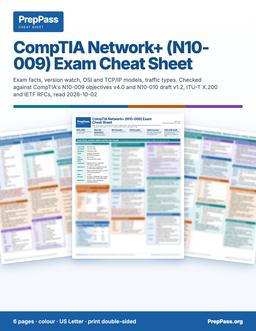
Thi trong vòng hai tuần?
Sách này là phần giảng dạy, đọc trong nhiều tuần. Nếu bạn thi trong vòng hai tuần, bảng tra cứu màu in được là sản phẩm còn lại: các con số then chốt, xếp theo từng phần.
6 trang · US Letter · PDF in được · giữ vĩnh viễn
Có gì — và không có gì
Bao gồm
- All 5 domains at real weight, version-locked to N10-009
- Subnetting taught step-by-step (9+ worked examples + drills)
Không bao gồm
- Không gửi bản in — đây là tệp bạn tải về và có thể tự in
- Sách không kèm khoá video, giảng viên hay kèm riêng — video miễn phí trên trang là phần khác
Toàn bộ phần bao gồm và không bao gồm
Bao gồm
- Routing, switching/VLANs/STP, and wireless made concrete
- A troubleshooting methodology + the tools that go with it
- 65 practice questions in the chapters, with explanations
- A question bank of 420 practice questions, grouped by topic, with answers and explanations
- A ports/protocols cheat-sheet + a 7-day study plan — PDF + EPUB
Không bao gồm
- Không bao gồm lệ phí đăng ký thi hay phí trung tâm khảo thí — bạn vẫn nộp cho cơ quan chính thức
Mục lục
Xem 3 phần và trang bắt đầu của từng phần
- Appendix A: OSI Layer Referencetr. 67
- Appendix M: Frequently Asked Questionstr. 84
- Appendix — Question Bank 420 practice questions with answers and explanationstr. 87
Lấy từ chính tệp PDF bạn tải về, kèm trang bắt đầu của từng phần — không phải gõ tay ở đây.
Đọc miễn phí trọn một chương
Trọn vẹn một chương, đúng như trong eBook. Cuộn cửa sổ để đọc ngay tại đây; không cần tải, không cần email.
Đọc chương 1 ngay tại đây, không rời trang
This is the largest of the "knowledge" domains and the foundation for everything else. It covers the OSI and TCP/IP models, ports and protocols, IP addressing and subnetting, cabling and topologies, and cloud and virtualization. Master this domain and the rest of the exam becomes reasoning rather than memorization.
1.1 The OSI Model and How Data Moves
The OSI (Open Systems Interconnection) model breaks network communication into seven layers. It is a teaching and troubleshooting framework, not literal software, but almost every exam question and every real diagnosis benefits from thinking in its layers. From bottom to top:
- Physical (Layer 1) — raw bits on the wire, fiber, or radio. Cables, connectors, pinouts, voltage, radio frequencies. Devices: cables, hubs, repeaters, transceivers.
- Data Link (Layer 2) — frames and MAC addresses for delivery on the local segment. Error detection with a frame check sequence. Devices: switches, bridges, NICs, wireless access points. Sublayers: LLC and MAC.
- Network (Layer 3) — packets and logical IP addressing; routing between networks. Devices: routers, Layer 3 switches.
- Transport (Layer 4) — end-to-end delivery with TCP or UDP, port numbers, segmentation, flow control.
- Session (Layer 5) — establishes, maintains, and tears down sessions between applications.
- Presentation (Layer 6) — translation, encryption/decryption, and compression; data formatting.
- Application (Layer 7) — the interface applications use: HTTP, DNS, SMTP, and so on.
A classic mnemonic bottom-up is "Please Do Not Throw Sausage Pizza Away" (Physical, Data Link, Network, Transport, Session, Presentation, Application).
Encapsulation is how data travels down the stack. Your application data gets wrapped with a header at each layer as it descends. The name of the bundle — the protocol data unit (PDU) — changes as you go:
- Layer 4: segment (TCP) or datagram (UDP)
- Layer 3: packet
- Layer 2: frame
- Layer 1: bits
The receiving host reverses this, stripping headers on the way up, called de-encapsulation.
Example — mapping a symptom to a layer. A user cannot reach a website. If a cable is unplugged, that is Layer 1. If the switch port is in the wrong VLAN, Layer 2. If the default gateway is wrong, Layer 3. If a firewall blocks TCP 443, Layer 4. If the site's name will not resolve but its IP works, that is a Layer 7 (DNS) problem. Naming the layer names the fix.
The TCP/IP model condenses OSI into four layers — Link (or Network Access), Internet, Transport, and Application — but maps cleanly onto OSI (the TCP/IP Application layer covers OSI 5–7; the Link layer covers OSI 1–2).
Exam Callout — Devices to layers. You will be asked which device operates at which layer. Memorize: hub = Layer 1, switch = Layer 2, router = Layer 3. A traditional firewall filters at Layers 3–4; a next-generation firewall and a load balancer can inspect up to Layer 7. A Layer 3 switch does both switching and routing.
1.2 Ports and Protocols
Every service on a host is reachable through a port number layered on a transport protocol. Ports run 0–65535, divided into well-known (0–1023), registered (1024–49151), and dynamic/ephemeral (49152–65535) ranges. Clients pick an ephemeral source port; servers listen on the well-known port.
TCP versus UDP is a guaranteed exam topic:
- TCP is connection-oriented and reliable. It opens with a three-way handshake (SYN → SYN-ACK → ACK), numbers bytes, acknowledges receipt, and retransmits losses. Use it where correctness matters: web, email, file transfer.
- UDP is connectionless and lightweight — no handshake, no acknowledgments. Use it where speed beats reliability: voice, video, DNS lookups, DHCP.
Ports to memorize for N10-009. Learn these cold; PBQs love to make you match them.
- FTP data 20, FTP control 21 (TCP)
- SSH 22 (TCP) — also SFTP and SCP ride on 22
- Telnet 23 (TCP, insecure)
- SMTP 25 (TCP)
- DNS 53 (TCP and UDP)
- DHCP 67/68 (UDP)
- TFTP 69 (UDP)
- HTTP 80 (TCP)
- NTP 123 (UDP)
- POP3 110 (TCP), IMAP 143 (TCP)
- SNMP 161/162 (UDP)
- LDAP 389 (TCP/UDP), LDAPS 636
- HTTPS 443 (TCP)
- SMB 445 (TCP)
- Syslog 514 (UDP)
- SMTP submission 587, SMTPS 465
- IMAP over TLS 993, POP3 over TLS 995
- SQL Server 1433, RDP 3389 (TCP)
- SIP 5060/5061 (VoIP signaling)
Match protocol to function, not just to a number: DHCP hands out IP configuration; DNS resolves names to addresses; NTP synchronizes clocks; SNMP monitors devices; SMTP sends mail while POP3/IMAP retrieve it.
Exam Callout — Secure versus insecure pairs. Expect questions that ask you to replace an insecure protocol. Telnet (23) → SSH (22). HTTP (80) → HTTPS (443). FTP (20/21) → SFTP (22) or FTPS. SNMPv1/v2c → SNMPv3. Knowing the secure replacement and its port earns easy points.
1.3 IP Addressing
An IPv4 address is 32 bits, written as four dotted-decimal octets (for example 192.168.1.10), each octet 0–255. A subnet mask (for example 255.255.255.0) marks which bits are the network portion and which are the host portion. CIDR notation compresses the mask into a slash and the count of network bits: /24 equals 255.255.255.0.
Address classes (legacy but still tested):
- Class A: 1–126, default mask /8
- Class B: 128–191, default mask /16
- Class C: 192–223, default mask /24
- Class D: 224–239 (multicast)
- Class E: 240–255 (experimental)
- 127.x.x.x is reserved for loopback (127.0.0.1).
Private (RFC 1918) ranges — internal only, require NAT to reach the internet:
- 10.0.0.0/8
- 172.16.0.0/12
- 192.168.0.0/16
APIPA: 169.254.0.0/16 — a host self-assigns from this range when DHCP fails. Seeing a 169.254 address is a giant clue (covered in Domain 5).
IPv6 uses 128-bit addresses in hexadecimal, eight groups of four hex digits, with rules to shorten them (drop leading zeros in a group; replace one run of all-zero groups with ::). Key prefixes:
- ::1 loopback
- FE80::/10 link-local (auto-configured on every interface)
- FC00::/7 unique local (private)
- 2000::/3 global unicast (internet-routable)
- IPv6 has no broadcast — it uses multicast and anycast instead. SLAAC lets hosts self-configure a global address from a router advertisement.
Now to the skill the exam demands you perform: subnetting.
1.4 Subnetting and CIDR — Taught Step by Step
Subnetting divides one network into smaller ones. You will be asked for network ID, broadcast address, usable host range, number of hosts, and the correct mask. Here is a reliable method plus multiple worked examples. Do them by hand.
The core formulas
- Total addresses in a subnet = 2^h, where h = number of host bits (host bits = 32 − prefix length).
- Usable hosts = 2^h − 2 (subtract the network ID and the broadcast address).
- Number of subnets when borrowing n bits = 2^n.
- Block size (the "magic number") = 256 − (mask value in the interesting octet). The interesting octet is the one where the mask is neither 255 nor 0.
Memorize the mask values that a prefix produces in one octet:
| Host bits in octet | Prefix (that octet) | Mask octet | Block size |
|---|---|---|---|
| /25 | 1 borrowed | 128 | 128 |
| /26 | 2 borrowed | 192 | 64 |
| /27 | 3 borrowed | 224 | 32 |
| /28 | 4 borrowed | 240 | 16 |
| /29 | 5 borrowed | 248 | 8 |
| /30 | 6 borrowed | 252 | 4 |
Worked Example 1 — a simple /24
Given: 192.168.10.0/24. Find hosts, network ID, broadcast, range.
- Prefix /24 → host bits h = 32 − 24 = 8.
- Total addresses = 2^8 = 256. Usable hosts = 256 − 2 = 254.
- Network ID = 192.168.10.0 (all host bits 0).
- Broadcast = 192.168.10.255 (all host bits 1).
- Usable range = 192.168.10.1 to 192.168.10.254.
Worked Example 2 — a /26 (find the subnet a host lives in)
Given: host 192.168.1.100/26. Find its network ID, broadcast, range, hosts.
Step 1 — Mask and host bits. /26 = 255.255.255.192. Host bits h = 32 − 26 = 6.
Step 2 — Hosts per subnet = 2^6 − 2 = 62.
Step 3 — Block size in the interesting (4th) octet = 256 − 192 = 64. So subnets start at .0, .64, .128, .192.
Step 4 — Which block holds .100? It falls between 64 and 128, so it is in the .64 subnet.
- Network ID = 192.168.1.64
- Broadcast = 64 + 64 − 1 = 192.168.1.127
- Usable range = 192.168.1.65 to 192.168.1.126
Worked Example 3 — size a subnet to a host requirement
Given: you need at least 50 usable hosts per subnet. What mask?
Solve 2^h − 2 ≥ 50 → 2^h ≥ 52 → h = 6 (since 2^6 = 64). Prefix = 32 − 6 = /26, mask 255.255.255.192, which yields 62 usable hosts. (Trying h = 5 gives 30 hosts — not enough. So /26 is the tightest fit.)
Worked Example 4 — count subnets when borrowing bits
Given: you have 192.168.0.0/24 and need to create at least 6 subnets. How many bits to borrow, and what mask?
Solve 2^n ≥ 6 → n = 3 (2^3 = 8 subnets). Borrow 3 host bits: /24 + 3 = /27, mask 255.255.255.224. Each /27 has 2^5 − 2 = 30 usable hosts, block size 32: subnets at .0, .32, .64, .96, .128, .160, .192, .224.
Worked Example 5 — a point-to-point /30
Given: a router-to-router link. Use the smallest practical subnet.
A /30 (mask 255.255.255.252) gives 2^2 − 2 = 2 usable hosts — exactly one per router. Block size 4. For 10.0.0.0/30: network 10.0.0.0, hosts 10.0.0.1 and 10.0.0.2, broadcast 10.0.0.3. (A /31 with 2 addresses and no broadcast is used for point-to-point links per RFC 3021, but /30 is the classic exam answer.)
Worked Example 6 — VLSM (different masks in one space)
Variable Length Subnet Masking lets you carve one block into differently sized subnets so you do not waste addresses. Given 192.168.1.0/24, suppose you need: one LAN of 100 hosts, one of 50, one of 20, and two WAN links of 2.
- 100 hosts → need /25 (126 hosts). Assign 192.168.1.0/25 (.0–.127).
- 50 hosts → need /26 (62 hosts). Next free is .128. Assign 192.168.1.128/26 (.128–.191).
- 20 hosts → need /27 (30 hosts). Next free is .192. Assign 192.168.1.192/27 (.192–.223).
- WAN link (2 hosts) → /30. Next free is .224. Assign 192.168.1.224/30 (.224–.227).
- Second WAN link → /30. Assign 192.168.1.228/30 (.228–.231).
Always allocate largest subnet first to avoid fragmenting the space.
Exam Callout — the two "lost" addresses. In IPv4, every subnet gives up two addresses: the all-zeros host bits (network ID) and the all-ones host bits (broadcast). That is why usable hosts is 2^h minus 2, and it is the single most common subtraction people forget under time pressure.
1.5 More Subnetting Practice and a Reference Table
Speed on subnetting comes from repetition and from having the mask ladder memorized. Keep this reference in your head for exam day:
| CIDR | Subnet mask | Host bits | Usable hosts | Block size |
|---|---|---|---|---|
| /24 | 255.255.255.0 | 8 | 254 | 256 |
| /25 | 255.255.255.128 | 7 | 126 | 128 |
| /26 | 255.255.255.192 | 6 | 62 | 64 |
| /27 | 255.255.255.224 | 5 | 30 | 32 |
| /28 | 255.255.255.240 | 4 | 14 | 16 |
| /29 | 255.255.255.248 | 3 | 6 | 8 |
| /30 | 255.255.255.252 | 2 | 2 | 4 |
The block sizes double as you climb toward /24: 4, 8, 16, 32, 64, 128, 256. The usable-host counts are always block size minus 2. Learn to read a mask both ways — given a prefix, produce the mask and host count; given a mask, produce the prefix.
Worked Example 7 — find the subnet from an odd address. Given 10.20.30.200/28, find the network ID and broadcast. A /28 has block size 16, so the fourth-octet subnets are 0, 16, 32, ... 192, 208. The host .200 falls between 192 and 208, so it is in the 192 block. Network ID = 10.20.30.192, broadcast = 192 + 16 − 1 = 10.20.30.207, usable range .193–.206, 14 hosts.
Worked Example 8 — the mask is in the third octet. Given 172.16.0.0/22, how many hosts and what is the range? A /22 borrows into the third octet: mask 255.255.252.0. Host bits h = 32 − 22 = 10, so usable hosts = 2^10 − 2 = 1022. Block size in the third octet = 256 − 252 = 4, so subnets step 172.16.0.0, 172.16.4.0, 172.16.8.0, and so on. For the 172.16.0.0/22 block: network 172.16.0.0, broadcast 172.16.3.255, usable 172.16.0.1–172.16.3.254. This is the pattern for masks between /17 and /24 — the "interesting octet" moves left.
Worked Example 9 — how many /27s fit in a /24? Borrowed bits = 27 − 24 = 3, so 2^3 = 8 subnets, each with 30 usable hosts. This is the count-subnets calculation in reverse and a common PBQ.
A quick mental procedure for any "which subnet is this host in" question:
- Convert the prefix to the interesting octet and its mask value.
- Block size = 256 − mask value.
- Count up by the block size until you pass the host's octet value; step back one — that is the network ID.
- Broadcast = next network minus 1. Usable = network+1 to broadcast−1.
Practicing this until it takes under 30 seconds is the single highest-value drill for Domain 1 and for the troubleshooting scenarios in Domain 5.
Câu hỏi người mua thường hỏi
Nhận sách thế nào?
Thanh toán xong, mục tải xuống hiện ngay trên trang này. Liên kết cũng được gửi qua email. Không cần tài khoản.
Nếu sách không hợp thì sao?
Gửi email trong vòng 14 ngày để được hoàn tiền đầy đủ, không cần lý do.
Phần luyện tập miễn phí có bị bỏ không?
Không. Mọi câu hỏi luyện tập, bài thi thử tính giờ và các chương miễn phí trên trang vẫn miễn phí. Cuốn sách là nửa "học", không phải hàng rào quanh phần miễn phí.
Thêm câu hỏi (1)
Đọc trên điện thoại được không?
Được — EPUB cho điện thoại và máy đọc sách, PDF để in và dán tab. Bạn nhận cả hai.
Vì sao mua sách khi phần luyện tập miễn phí?
Câu hỏi luyện tập và bài thi thử tính giờ vẫn miễn phí — không có gì trên trang bị giấu sau cuốn sách này. Cuốn sách $14.99 là nửa "học": chính phần kiến thức, dạy theo trình tự, trong một tệp thuộc về bạn.
- Dạy có hệ thống — mọi phần thi giảng theo từng chương, từ đầu đến cuối, không chỉ là câu hỏi
- In ra & dán nhãn — PDF sẵn sàng để in, tô đậm, ghi chú và mang tới bàn học
- Học mọi nơi, ngoại tuyến — EPUB trên điện thoại hay máy đọc sách; không cần wifi, không cần tab trình duyệt
- Tất cả một chỗ — các chương và câu hỏi luyện tập trong một tệp
- Của bạn trọn đời — trả một lần $14.99, tải ngay, không thuê bao
Chi tiết
- Đối chiếu từ nguồn chính thức(the public CompTIA Network+ N10-009 objectives)
- 420 câu hỏi luyện tập miễn phí
Một Network+ bootcamp/course có giá $400–$2,000. Cuốn sách này dạy cùng một kỳ thi — cùng quy định, đối chiếu theo chuẩn hiện hành — chỉ với $14.99 trả một lần, thuộc về bạn trọn đời.
Mua một lần, truy cập tải về trọn đời. eBook là trọn bộ hướng dẫn ôn CompTIA Network+ (N10-009) ở dạng PDF và EPUB. Bản tóm tắt mang tính giáo dục, không phải tư vấn chuyên môn hay pháp lý — luôn xác nhận quy định hiện hành với nguồn chính thức. Cập nhật lần cuối: October 2026.