学习指南 · 2026 版
CompTIA A+ Core 1 (220-1101) — Study Guide for the retired V14 exam
Covers the 220-1101 objectives. CompTIA retired 220-1101/1102 in September 2025; the exams offered now are 220-1201 and 220-1202.
- 篇幅
- 75 页
- 书内练习题
- 100
- PrepPass 在线计时模考
- 90 题 · 90 分钟
- 考试事实核对于
- 2026年9月
- 文件最后更新
- 2026年10月
- 交付
- PDF + EPUB · 英文 · 即时下载
关于本书
考试事实、适合谁与变化
关于这场考试本身
| 主管机构 | CompTIA 来源: CompTIA — A+ Core 1 V15 (220-1201) certification page, Exam details |
|---|---|
| 题目数量 | 最多 90 道题 来源: CompTIA — A+ Core 1 V15 (220-1201) certification page, Exam details |
| 考试时限 | 90 分钟 来源: CompTIA — A+ Core 1 V15 (220-1201) certification page, Exam details |
| 及格标准 | 标准分 675(量表范围 100–900) 来源: CompTIA — A+ Core 1 V15 (220-1201) certification page, Exam details |
| 费用 | 未核查 |
| 考试语言 | 英语 · 德语 · 日语 来源: CompTIA — A+ Core 1 V15 (220-1201) certification page, Exam details |
翻开这本书看看
三页真实内页,直接从你将下载的 PDF 渲染而来 —— 依次是一页速查、一页讲解、一道带解析的例题。没有任何一页是为了好看而重画的。
- 怎么讲Answer Key with Explanations · PDF 第 69 页
讲解页:用文字把知识讲清楚,顺序与考试考查的顺序一致。
- 怎么讲Answer Key with Explanations · PDF 第 70 页
讲解页:用文字把知识讲清楚,顺序与考试考查的顺序一致。
- 怎么讲Answer Key with Explanations · PDF 第 74 页
讲解页:用文字把知识讲清楚,顺序与考试考查的顺序一致。
两周内就要考试?
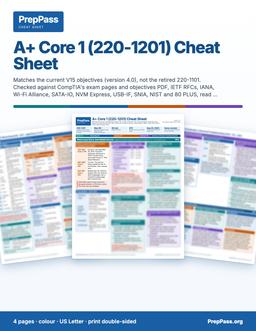
这本指南是系统讲解,要花几周读。如果两周内就考,可打印的彩色速查表是另一款产品:考试涉及的关键数字,按章节排好。
4 页 · US Letter · 可打印 PDF · 永久保存
包含什么,不包含什么
包含
- Written against 220-1101 (retired Sept 2025) — not 220-1201
- All 5 domains, weighted like 220-1101 (Troubleshooting 30%)
不包含
- 不寄送纸质书 —— 这是一份你下载后可自行打印的文件
- 购书不含视频课程、讲师或一对一辅导 —— 站上的免费视频是另一回事
完整的包含项与不包含项
包含
- Ports, RFC 1918 ranges, CIDR/subnet, and Wi-Fi standards reference
- RAID levels, DDR generations, connectors, and storage specs
- Worked troubleshooting walk-throughs (APIPA, no-POST, cloud models)
- 100 original practice questions with answer explanations
- PDF (print & tab it) + EPUB (phone / e-reader)
不包含
- 不含考试报名费与考点费用,这些仍需向官方机构缴纳
目录
查看 2 个部分及各部分起始页
- Part II — Full Practice Exam (100 Questions)第 44 页
- Answer Key with Explanations第 65 页
取自你将下载的那份 PDF,并标明各章起始页 —— 不是在此手工录入的。
免费读完整一章
完整的一章,与电子书正文一字不差。直接在此窗口滚动阅读;无需下载,无需邮箱。
在本页直接阅读第 4 章
我们没有拿轻松的绪论充数 —— 免费章节直接翻到书里最见功力的部分,让你在考试真正难的地方检验这本书讲得好不好。
Introduction
Virtualization and cloud computing let organizations run workloads flexibly instead of buying a physical server for every job. This is the smallest domain on Core 1, but it is conceptual rather than fact-dense, so it rewards clear understanding over memorization. This chapter explains the hypervisor and the two types of it, the difference between containers and virtual machines, the three cloud service models, and the deployment models and shared characteristics that shape planning.
The through-line is abstraction and sharing: virtualization abstracts one physical machine into many logical ones, and cloud computing sells that capacity as a metered, on-demand service. Each concept is a step up the ladder of "how much does someone else manage for you."
Virtualization basics
Virtualization abstracts physical hardware so multiple operating systems can run on one machine. The hypervisor is the software layer that makes this possible.
- The hypervisor manages VMs. It abstracts the hardware and allocates CPU, memory, and storage to each virtual machine. Firmware, drivers, and bootloaders are low-level components but they do not manage VMs — the hypervisor does.
- Type 1 runs on bare metal. A Type 1 (bare-metal) hypervisor installs directly on the hardware, with no host OS beneath it, for maximum performance — the enterprise data-center pattern.
- Type 2 runs on a host OS. A Type 2 (hosted) hypervisor runs as an application on top of an existing operating system — the way you run a test VM on a laptop.
- Isolation aids testing. VMs isolate environments, so a lab or a piece of development work does not affect the host — a safe sandbox.
Type 1 vs. Type 2 — the trade-off. A bare-metal (Type 1) hypervisor gives better performance and stronger isolation because nothing sits between it and the hardware; it is what data centers use. A hosted (Type 2) hypervisor is more convenient — you install it like any app on a working desktop — at the cost of the overhead of the underlying OS. Convenience versus performance is the whole distinction.
Containers vs. virtual machines
Containers are a lighter alternative to full VMs: they isolate applications while sharing the host's kernel instead of each carrying a whole operating system.
- Containers share the host kernel. They package an app with its dependencies so it runs consistently across environments, without bundling a full OS.
- VMs include a full guest OS. Each VM carries its own operating system, which makes it heavier than a container.
- Containers start fast and scale well. Their light footprint suits microservices and rapid deployment.
- Choose based on isolation needs. Full VMs give stronger isolation; containers give density and speed. That is the design decision.
Cloud service models
Cloud providers deliver computing at different levels of abstraction, from raw infrastructure up to finished applications. The higher you go, the more the provider manages for you.
- IaaS — Infrastructure as a Service. You get virtual compute, storage, and networking and manage them yourself. Most control, most responsibility.
- PaaS — Platform as a Service. You deploy applications onto a managed platform without managing the underlying OS and servers. The provider handles the plumbing; you handle the app.
- SaaS — Software as a Service. You use a fully managed application — webmail, an online office suite — through a browser. Least to manage, least control.
- Responsibility shifts by model. Moving from IaaS → PaaS → SaaS hands more of the management burden to the provider and leaves you less to run.
Cloud deployment and characteristics
Beyond what is delivered, clouds differ in who owns them, and they share defining traits that guide planning.
- Public clouds are multi-tenant. A provider hosts shared infrastructure used by many customers.
- Private clouds are dedicated. Infrastructure serves a single organization for control and compliance.
- Hybrid combines both. A hybrid cloud links on-premises and public resources so workloads can move between them. (A community cloud, by contrast, is shared among several related organizations — not the same as hybrid.)
- Elasticity and measured service. Elasticity means resources scale up or down automatically with demand; measured service means usage is metered so customers pay for what they consume (pay-as-you-go).
Resource planning. Before creating multiple VMs on a host — or sizing a cloud deployment — the resource that matters is the host's available CPU cores, RAM, and storage, and for an individual VM the administrator tunes its allocated vCPUs and RAM in the hypervisor. Over-committing beyond what the host can supply is what turns a tidy virtualization plan into a slow one.
Key facts & specs
Every item in this box is drawn from this book's source material for the virtualization and cloud domain.
| Concept | Fact to remember |
|---|---|
| Hypervisor | Software layer that creates and manages VMs; allocates CPU/RAM/storage |
| Type 1 | Bare-metal — installs directly on hardware; enterprise performance |
| Type 2 | Hosted — runs as an app on an existing OS |
| Container | Shares the host kernel; lightweight, fast, portable |
| Virtual machine | Carries a full guest OS — heavier; stronger isolation |
| IaaS | Infrastructure — you manage compute/storage/networking |
| PaaS | Platform — deploy apps without managing OS/servers |
| SaaS | Software — fully managed apps in a browser (e.g., webmail) |
| Public cloud | Multi-tenant, shared by many customers |
| Private cloud | Dedicated to one organization |
| Hybrid cloud | Links on-premises + public so workloads can move |
| Elasticity | Resources scale automatically with demand |
| Measured service | Usage metered — pay for what you use |
| VM sizing | Adjust vCPUs and RAM; verify host CPU/RAM/storage first |
Worked example — matching the model to the need
"We want fully managed email our staff just log into in a browser." That is a finished application — SaaS. "Our developers want to push code to a managed platform without patching servers." Platform, no OS management — PaaS. "We need virtual machines and virtual networks we control and configure ourselves." Raw infrastructure — IaaS. "Keep sensitive workloads in our own data center but burst to a public provider at peak." On-prem plus public, workloads moving between them — a hybrid deployment. The tell is always how much you want to manage yourself (IaaS most, SaaS least) and who owns the infrastructure (private, public, or hybrid).
Common traps
- Swapping Type 1 and Type 2. Type 1 = bare-metal (on hardware, enterprise); Type 2 = hosted (on top of an OS).
- Thinking a container includes a full OS. It does not — it shares the host kernel. The VM carries the full guest OS.
- Mixing up the service models. IaaS = infrastructure, PaaS = platform, SaaS = software. Webmail is the classic SaaS example.
- Confusing hybrid with community. Hybrid = private + public together; community = shared among related organizations.
- Forgetting the host's limits. VMs draw on the host's real CPU, RAM, and storage — plan capacity before spinning them up.
Self-check
- Which hypervisor type installs directly on the hardware with no host OS? (Type 1, bare-metal.)
- How does a container differ from a virtual machine? (A container shares the host kernel and is lightweight; a VM carries a full guest OS and is heavier.)
- Which cloud service model delivers finished applications like webmail? (SaaS.)
- What does "measured service" mean? (Usage is metered so customers pay only for what they consume.)
- Which deployment links on-premises and public cloud so workloads can move between them? (Hybrid.)
购买者常问的问题
怎么拿到?
付款后下载入口立即出现在本页,链接同时发到你的邮箱。无需注册账号。
不合适怎么办?
14 天内发邮件即可全额退款,无需理由。
免费练习会取消吗?
不会。站上的每一道练习题、计时模考和免费章节都继续免费。这本书是「学」的那一半,不是把免费部分围起来的门。
更多问题 (1)
能在手机上看吗?
可以 —— EPUB 适合手机和电子书阅读器,PDF 适合打印和贴标签,两种都给你。
练习免费,为什么还要买书?
我们的练习题和计时模考一直免费 —— 网站上的东西不会因为这本书而收起来。这本 $14.99 的书是「学」的那一半:知识本身,按顺序讲清楚,存成一份属于你的文件。
- 系统讲解 —— 每个考试部分按章节从头讲到尾,不只是题目
- 可打印可贴标签 —— 一份适合打印的 PDF,能划重点、做批注、带到书桌前
- 随处离线学 —— EPUB 放手机或电子书阅读器;不用 wifi,不用一堆浏览器标签
- 全在一处 —— 章节和练习题都在同一份文件里
- 永久归你 —— 一次 $14.99,即时下载,无订阅
详细信息
- 官方来源核验(CompTIA A+ Core 1 (220-1101) objectives — the retired V14 exam)
- 100 道免费练习题
CompTIA A+ course/bootcamp 要 $300–$1,500。这本书讲的是同一门考试 —— 同样的规则、核对到最新标准 —— 只需一次性 $14.99,永久归你。
一次购买,永久下载访问。此电子书是完整的 CompTIA A+ Core 1 (220-1101, retired V14) 学习指南,含 PDF 与 EPUB。仅为教育性摘要,非专业或法律意见 —— 请始终以官方来源核实当前规定。最后更新:October 2026。